
Less panic.
More done.
A school planner where students see what’s due and parents stay in the loop — without micromanaging.
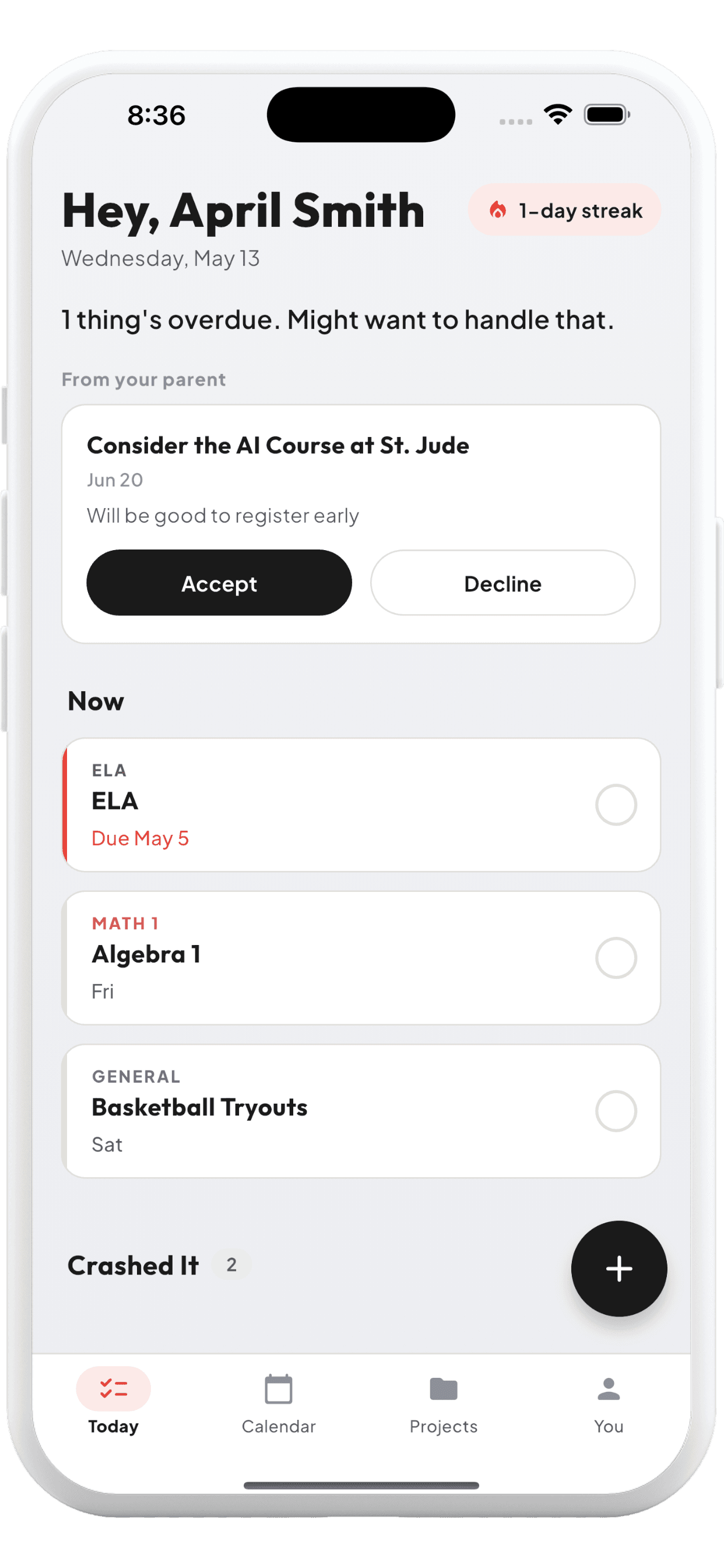
Built for two sides
One planner. Two perspectives.
The kid trying to keep up with classes. The parent who just wants to know if Thursday is going to be a tough one. Same app, the right view for each.
For students
- A calm Today screen
- Add assignments in seconds
- Classes with colors that scan the week
- Sunday-night planning view
- Gentle nudges, not nagging
For parents
- A digest, not a surveillance feed
- Counts that matter: overdue, today, week
- A private notes space
- Suggestions you can send - supportive
- Access codes for under-13 kids
See it in action
The bits that do the work.
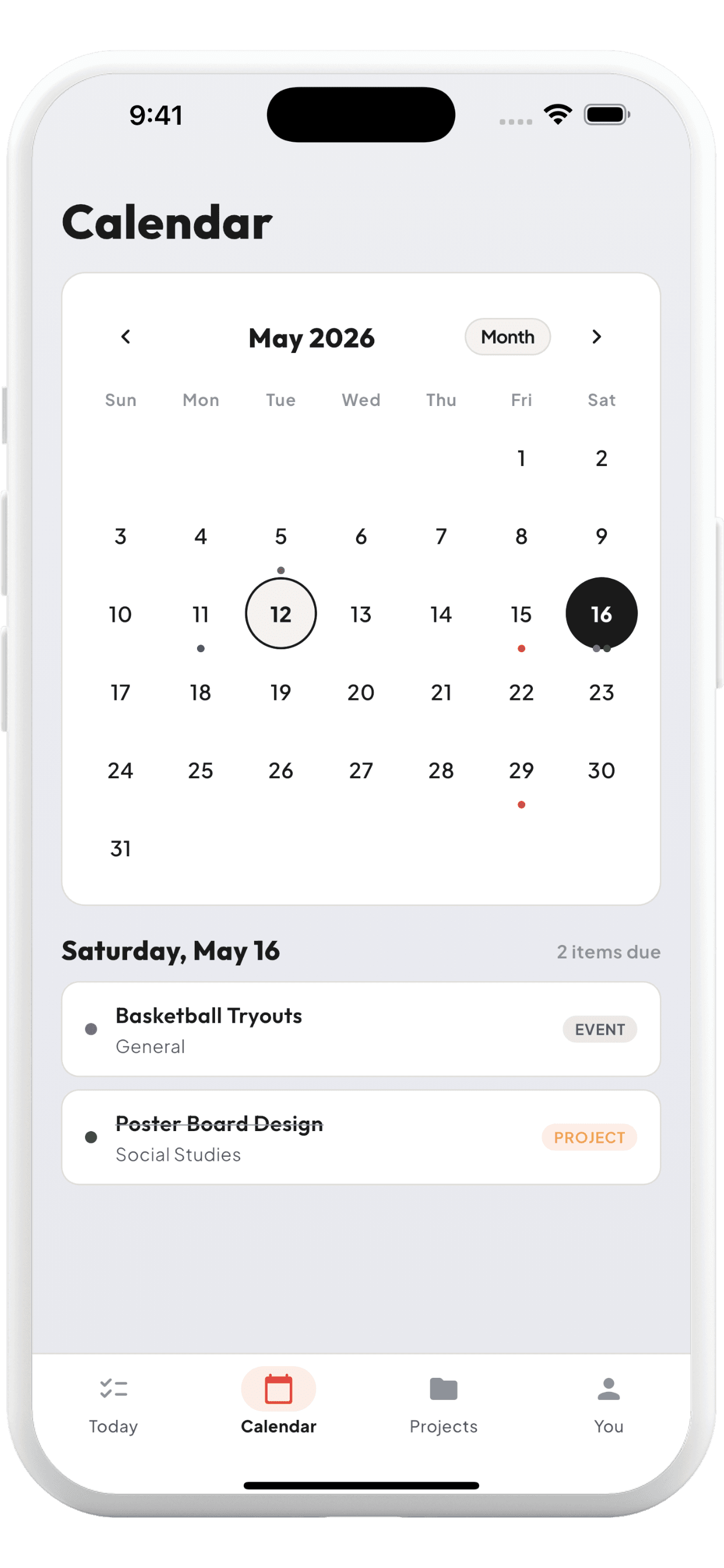
See the whole month
A calendar that knows what's due, what's done, and what's coming. Tap a day, see the work.
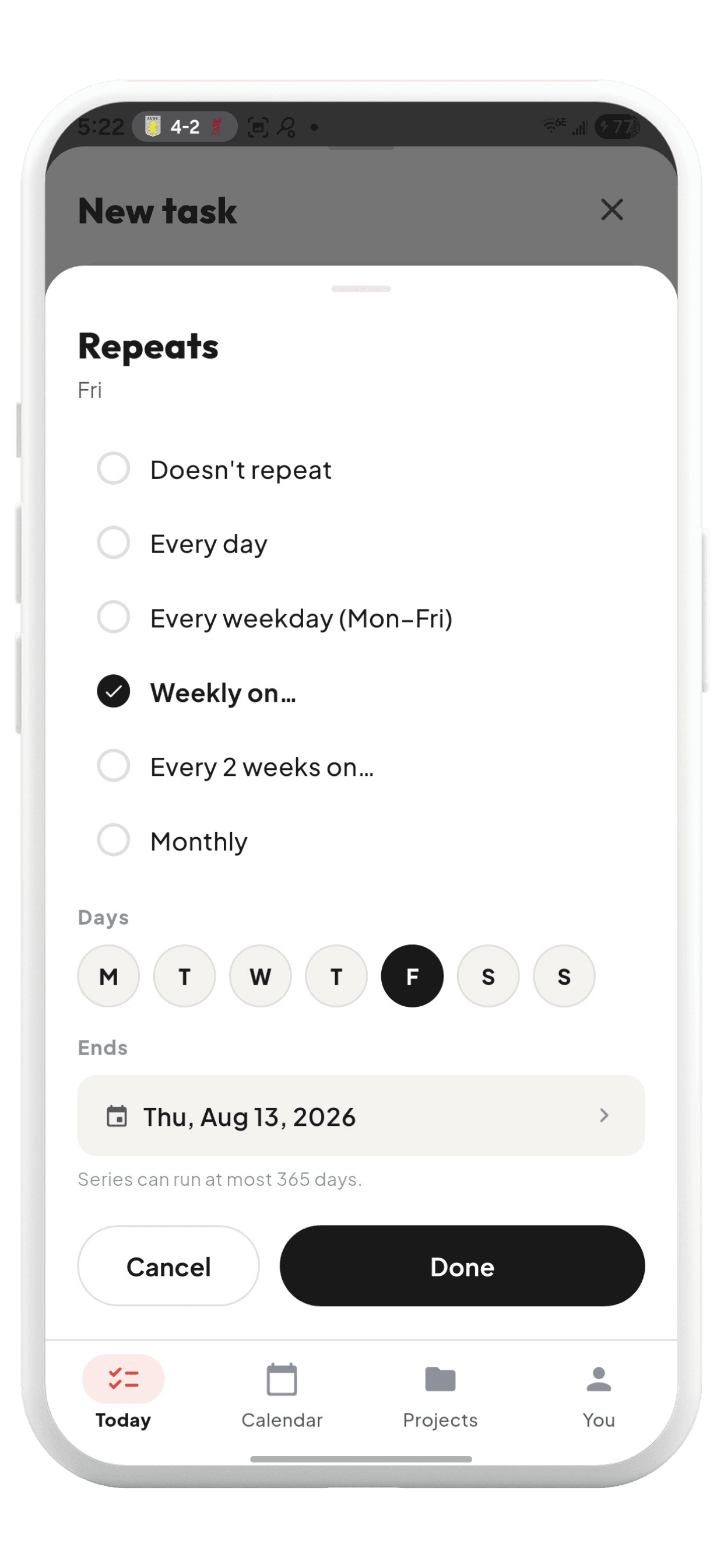
Recurring without the mess
Practice every Tuesday, a Friday quiz - set the cadence once and let it run.
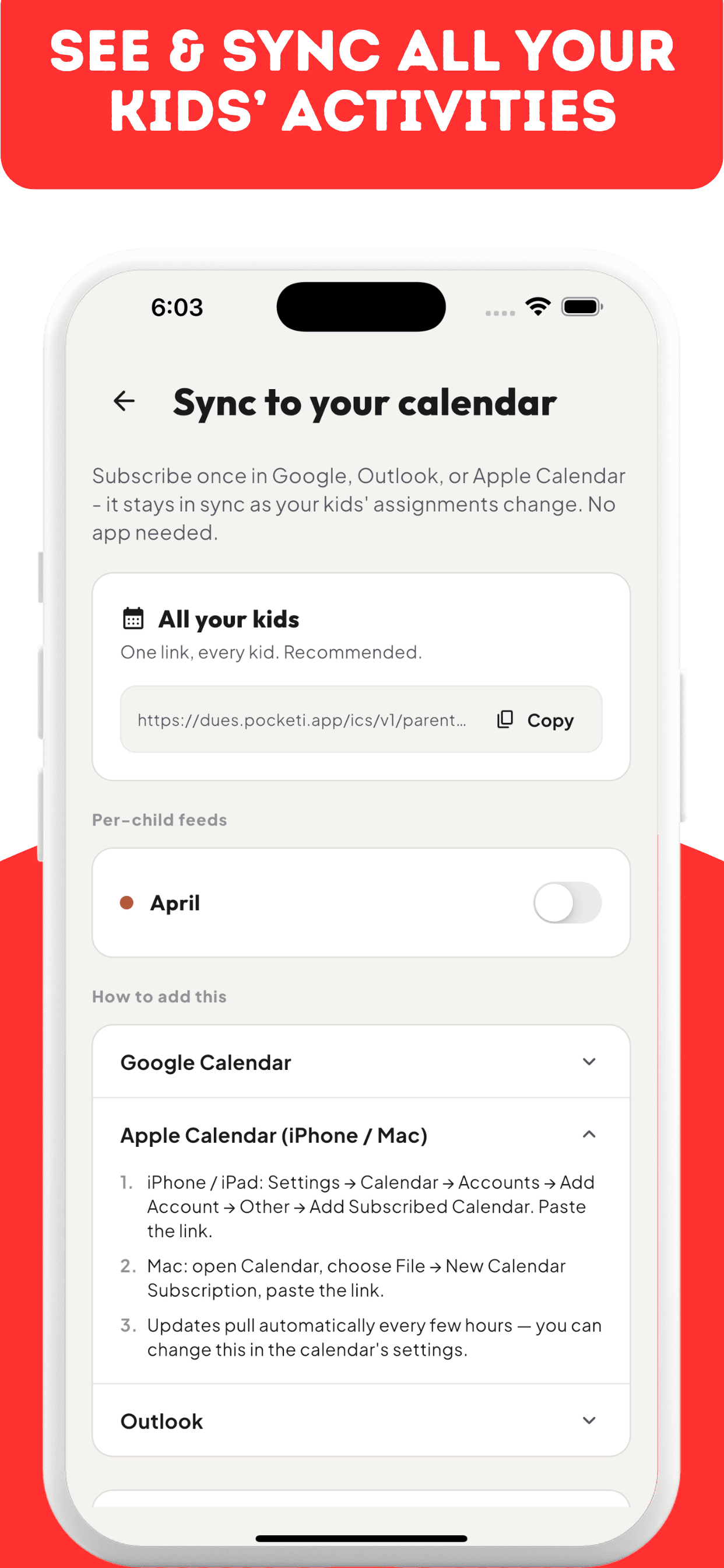
Lives in your calendar
Subscribe once in Google, Outlook, or Apple Calendar. Stays in sync as work changes.
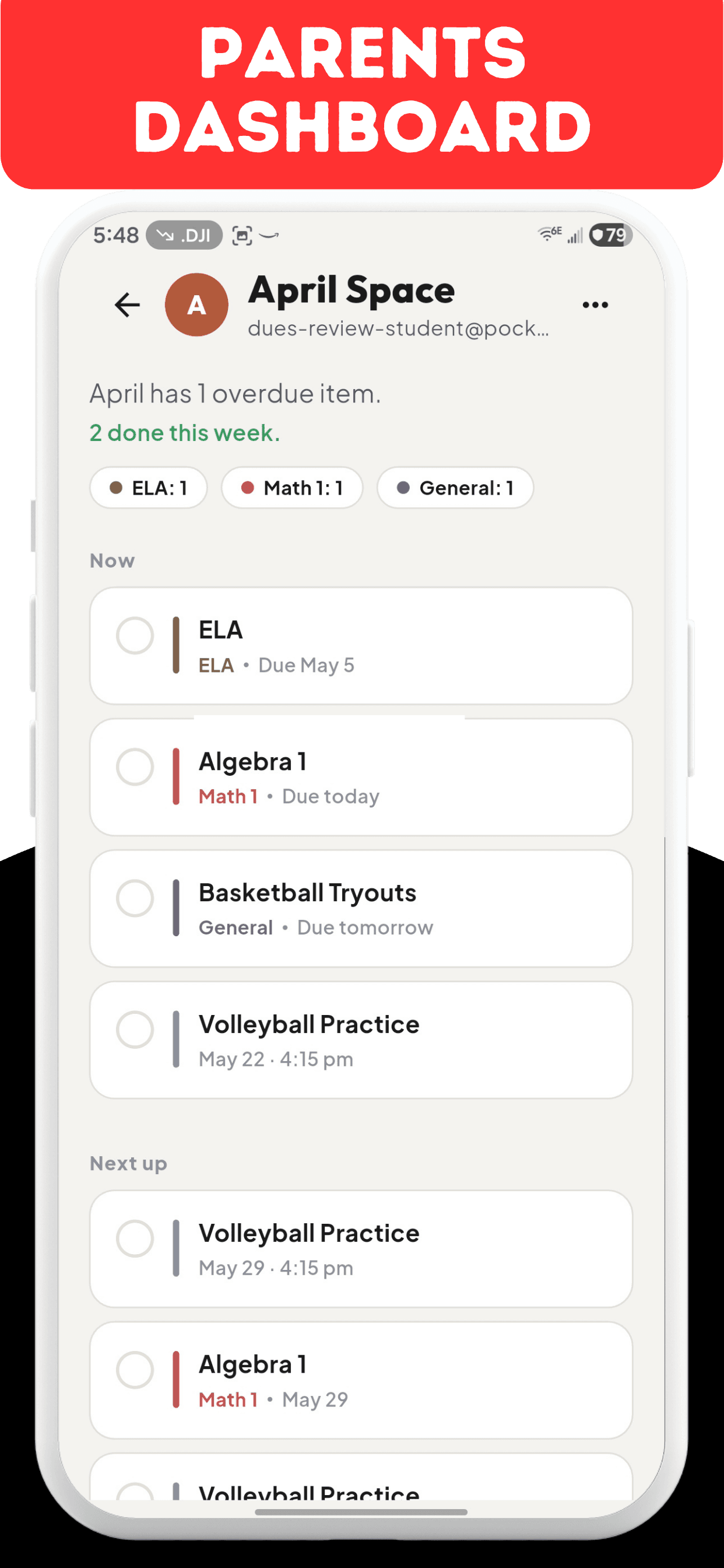
Parent view
Know what’s due. Skip the homework police.
See what your kid is working on without watching every keystroke. Counts, not checklists. A nudge you can send, not a leash you have to hold.
What Dues doesn’t do
No ads. No advertising trackers. No session recordings.
Your account info signs you in and syncs your dues across your devices. We measure active days and a few setup milestones to improve Dues. Parents see the digest their kid agreed to share — not every action, every completion, every keystroke.
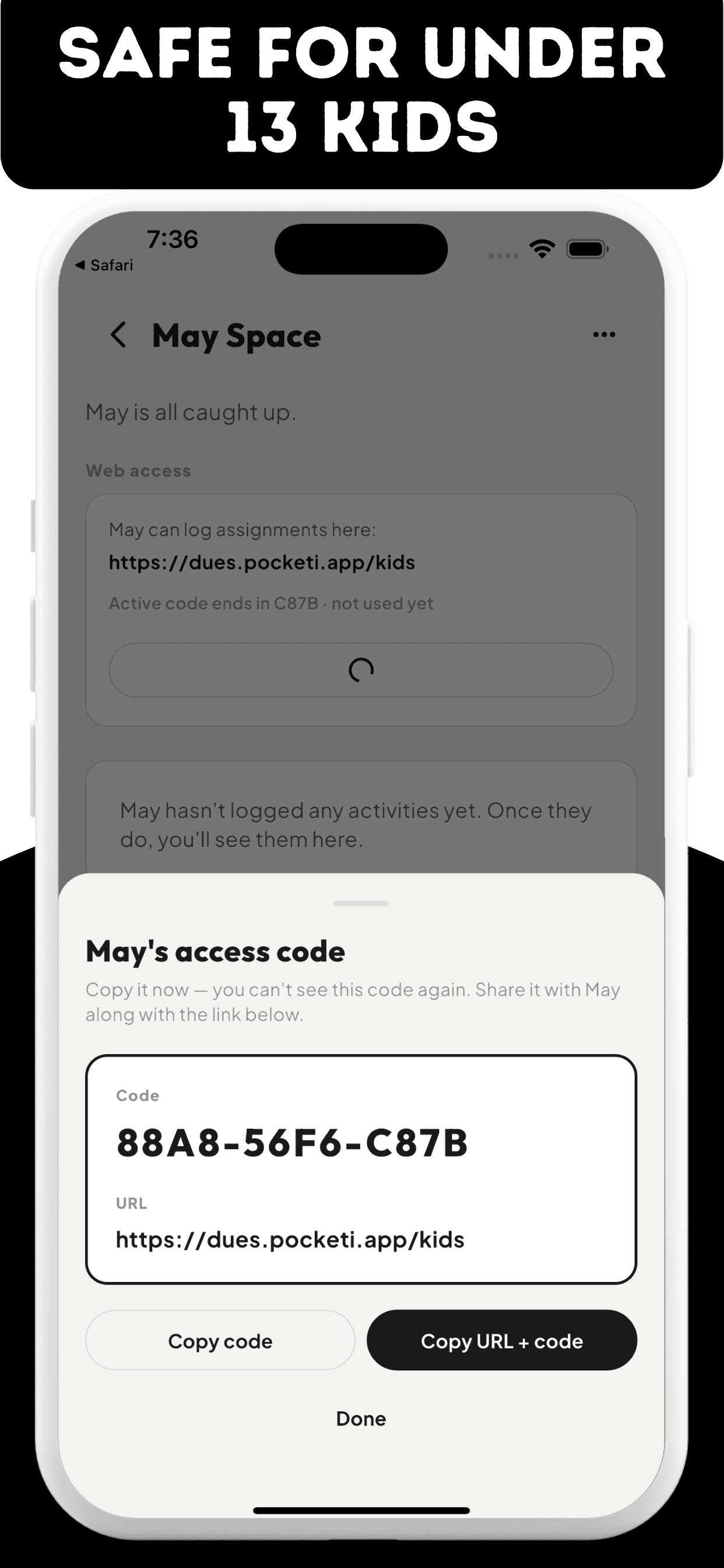
For under-13 kids: a one-time access code, no email required.
Ready to clear the week?
Sign up takes 30 seconds. Add a class. Drop in this week’s assignments. The planner does the rest.
Or download the app